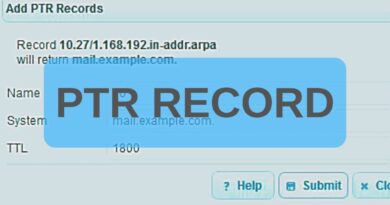
How to Add PTR records?
This guide will help you how to add PTR records on our IP address. Please take a note, only IPs under Exabytes Indonesia that we can add PTR records (under our control). All IPs that need PTR records can be modified under our shared cluster DNS server. Just login to one of our WHM and you should good.
PTR record used to send emails. It is called reverse DNS or rDNS to be precise. Most email provider used rDNS to verify the sender and it is very critical if you want emails keep within INBOX instead of JUNK / SPAM folder.
NOTE : No need admin contact or PE (Primary Email) authorisation when it comes for reverse DNS / PTR record request.
Example Case
For example, a customer wish to add PTR record for 103.82.242.244 become server2.titancyber.com. Then what we can do is check whether 103.82.242.244 is our IP. Check into WHMCS and verify whether the IP is ours or not. If the IPs is ours, then :
Go to WHM DNS (shared hoting) > search for DNS > search for: 242.82.103.in-addr.arpa
NOTE : How to search which reverse IP?
If IP is 10.23.24.5 then search for DNS > 24.23.10.in-addr.arpa
If IP is 1.199.200.4 then search for DNS > 200.199.1.in-addr.arpa
If IP is 100.223.1.100 then search for DNS > 1.223.100.in-addr.arpa
Now add PTR record as per below picture :

NOTE : Make sure you add the dot ( . ) at the end of name! Or it will be messed up!
Make sure the hostname server2.titancyber.com is resolvable to 103.82.242.244! If not then make sure find any hostname that resolvable to 103.82.242.244.