Check RAID Status Detail on Linux Server
How to check RAID status detail on Linux server via SSH.
DISCLAIMER : This article only used when nagios showing WARNING / CRITICAL of RAID status.
Table of Contents
Check RAID Error via Nagios
First, check raid status via nagios. Some of notifications may lead to false alarm, so we need to check thoroughly from time to time. For example, there are some server that having issue WARNING status of RAID disk.

Check via SSH
Login to server that wish to check for RAID via SSH.
Check Overall Status of Logical Disk
/opt/MegaRAID/MegaCli/MegaCli64 -PDList -a0|grep "Firmware state"
It will appear like this :
[root@ssdvps22 ~]# /opt/MegaRAID/MegaCli/MegaCli64 -PDList -a0|grep "Firmware state"
Firmware state: Online, Spun Up
Firmware state: Online, Spun Up
Firmware state: Online, Spun Up
Firmware state: Online, Spun Up
Firmware state: Online, Spun Up
Firmware state: Online, Spun Up
Firmware state: Online, Spun Up
Firmware state: Online, Spun Up
Firmware state: Online, Spun Up
Firmware state: Online, Spun Up
How to Read Status Result
Based on previous check result, ssdvps22 showing good result of array logical disk RAID. We need to expect all disk showing Online, Spun Up to all servers.
What to Do the Disk Showing Bad or Degraded?
When one of disk showing Bad result or Degraded result, it is time to replace the disk. However, we need to find which disk that causing issue.
Find The Problematic Disk
Before proceed, make sure to install smartctl first.
yum install smartmontools -y
Simply use this command for a detailed look which disk that causing issue of bad or degraded.
/opt/MegaRAID/MegaCli/MegaCli64 -PDList -a0| egrep 'Slot\ Number|Device\ Id|Inquiry\ Data|Raw|Firmware\ state' | sed 's/Slot/\nSlot/g'
You will see exactly which slot that causing a disk issue.
Find Disk Serial Number (SN)
Then issue smartctl command to find disk serial number.
NOTE : N means disk slot, replace with numeric.
smartctl -a -d megaraid,N /dev/sdb
The result would be something like this :
[root@ssdvps22 ~]# smartctl -a -d megaraid,6 /dev/sdb
smartctl 7.0 2018-12-30 r4883 [x86_64-linux-3.10.0-1160.2.2.el7.x86_64] (local build)
Copyright (C) 2002-18, Bruce Allen, Christian Franke, www.smartmontools.org
=== START OF INFORMATION SECTION ===
Device Model: HFS960G32FEH-7A10A
Serial Number: NJ04N6393I1204G1J
LU WWN Device Id: 5 ace42e 0251411f7
Add. Product Id: DELL(tm)
Firmware Version: DE03
User Capacity: 960,197,124,096 bytes [960 GB]
Sector Sizes: 512 bytes logical, 4096 bytes physical
Rotation Rate: Solid State Device
Form Factor: 2.5 inches
Device is: Not in smartctl database [for details use: -P showall]
ATA Version is: ACS-3 (minor revision not indicated)
SATA Version is: SATA 3.3, 6.0 Gb/s (current: 6.0 Gb/s)
Local Time is: Fri Mar 12 10:02:43 2021 WIB
SMART support is: Available - device has SMART capability.
SMART support is: Enabled
Get DC Team to Replace Disk ASAP
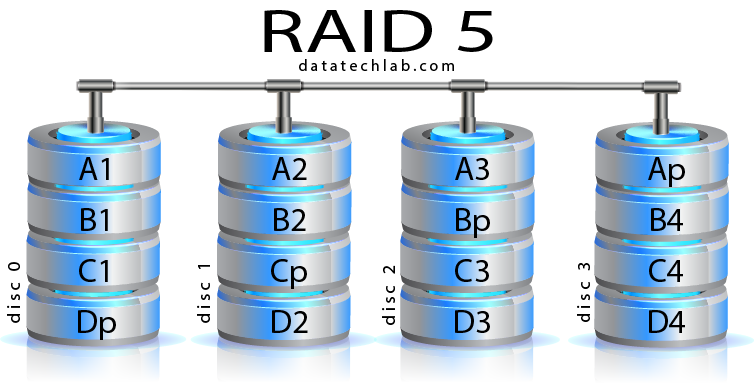
As soon as you got serial number that has degraded or bad disk, then forward it to datacenter team for replacement. DO NOT wait for tomorrow!! Replace the disk before completely down. Please take a note, disk failure tolerance only 1 disk. You can escalate to huda via slack and let him know.
Hot Swap Disk
After the disk has been identified, then ask DC Team to replace the disk. This can be done while server is running. After disk has been replaced, the array RAID will be form automatically after you successfully plug the disk on and read by system.
How Long RAID Will be Re-formed?
It depends how many percentage build rate has been set. Basically build rate set to 30% ~ 50%. While build rate running, it will causing huge usage of I/O disk. It is best to set up build rate around 30%-50% only.
/opt/MegaRAID/MegaCli/MegaCli64 -AdpAllinfo -aALL | grep -i rebuild
Rebuild will be set automatically (depends what will be set there).
Approximately 120 minutes – 180 minutes all disk will be sync up after disk replacement.